
Corrective Actions in Quality Control: A Practical
CAPA Guide
Spotting defects is just the beginning. The real impact of quality control comes from what you do after you find them — and most businesses stop too soon.
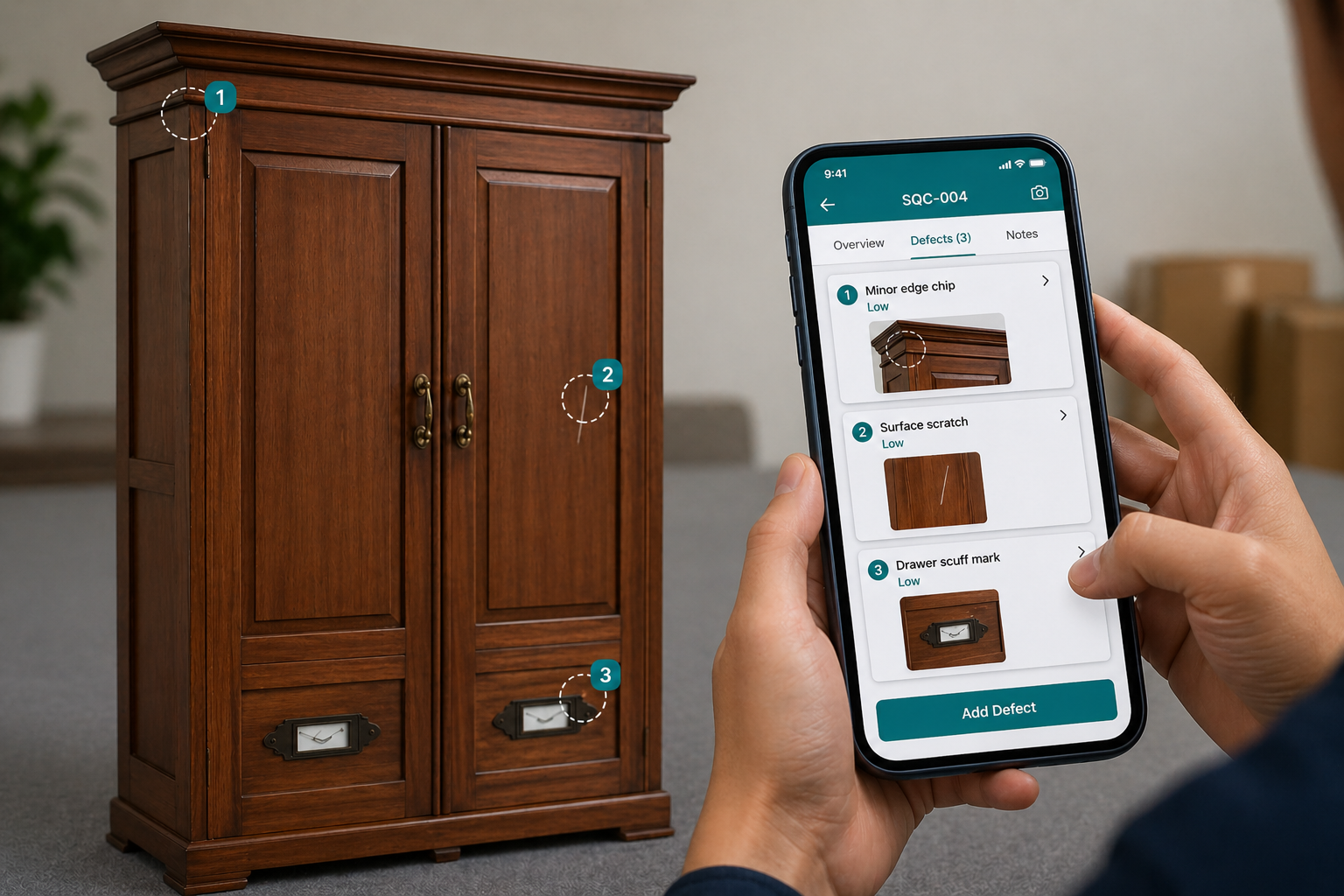
In any quality control inspection, spotting defects is just the beginning. The real impact comes from what you do after you find them. A scratch on furniture, uneven stitching in a garment, or damaged packaging — these issues are common. But when the same problems keep showing up again and again, it’s a sign that something deeper is wrong. This is where a structured quality inspection software helps you move from detection to real improvement. That’s where corrective and preventive actions (CAPA) come in.
What Are Corrective Actions in Quality Control?
Corrective actions are not just quick fixes. They are a structured way to deal with problems at their root. Instead of simply correcting a defect and moving on, corrective actions help you understand:
- What exactly went wrong
- Why it happened in the first place
- What needs to change so it doesn’t happen again
What About Preventive Actions?
While corrective actions fix existing issues, preventive actions go one step further — they stop problems before they happen. They are based on:
- Trends in inspection data
- Recurring defect patterns
- Supplier performance insights
For example:
If inspection data shows repeated stitching issues across batches, a preventive action could be:
- Updating production guidelines
- Increasing inline inspection frequency
- Scheduling machine maintenance
“Preventive actions help reduce risk before it becomes a defect.”
What is CAPA (Corrective and Preventive Action) in Quality Control?
Together, corrective and preventive actions form a system called CAPA (Corrective and Preventive Action). CAPA ensures that:
- Problems are fixed at the root
- Similar issues are prevented in the future
- Quality continuously improves over time
“It’s about solving the problem permanently — not temporarily.”
Why Inspection Alone Isn’t Enough
A lot of businesses are good at conducting inspections — but struggle with what comes next. They identify defects, create reports, and move on. But without proper follow-up, the cycle never breaks.
Without CAPA
- Same issues keep repeating
- Problems appear across suppliers
- No one takes full ownership
- Inspection data gets ignored
With CAPA
- Root causes eliminated at source
- Suppliers held accountable
- Clear ownership per issue
- Data drives real decisions
Inspections happen — but improvement doesn’t. And that’s a missed opportunity that costs manufacturers time, money, and customer trust.
Turning Inspections Into Real Improvement
CAPA transforms quality control from a checklist activity into a continuous improvement system. When done right, they help you:
- Stop recurring defects at the source, not after they ship
- Hold suppliers and production teams accountable with evidence
- Maintain better compliance and traceability across batches
- Build a culture where quality actually improves over time
It’s the difference between reacting to problems and preventing them.
What a Good CAPA Process Looks Like
An effective process doesn’t have to be complicated — but it does need to be consistent. Here’s how it works:
Identify the Issue
Capture defects accurately during your quality control inspection — with photos, measurements, and defect classifications documented in real time.
Understand the Root Cause
Go beyond the surface. Figure out why the issue happened — a material fault, a process gap, a supplier inconsistency, or operator error.
Assign Ownership
Make sure someone is clearly responsible for fixing it — a named person, a supplier contact, or a production team with a deadline.
Take Action
Define exactly what needs to be done and set a realistic timeline. Vague action items never get closed.
Verify the Fix
Check that the issue is actually resolved — with proper proof. Photo evidence, re-inspection results, or supplier sign-off.
Prevent Future Issues
Use what you’ve learned to update checklists, supplier briefs, or production specs. Close the loop permanently.
Why Manual Processes Fall Short
In many companies, corrective actions are managed through emails, spreadsheets, or scattered tools. This creates a predictable set of problems:
Miscommunication — updates get lost in email threads and no one has the full picture
No clear tracking — no way to see where an issue stands across multiple suppliers
Limited visibility — managers can’t see progress without chasing people manually
Delays — critical issues sit unresolved while teams wait for updates
The result? Issues slip through the cracks — and history repeats itself.
How Quality Control Software Makes a Difference
This is where quality control software changes everything. Instead of juggling multiple tools, everything is connected in one system — creating a closed-loop process where every issue leads to action, and every action leads to improvement.
You can explore these capabilities in detail through the key features of a modern quality control platform designed for real-time inspections and corrective actions.
“A closed-loop system where every issue leads to action — and every action leads to improvement.”
- Defects can instantly trigger corrective actions from the inspection report
- Tasks are assigned with clear owners and deadlines — no ambiguity
- Teams and suppliers can share updates in real time from any device
- Every step is documented, timestamped, and easy to audit
How Lookover Simplifies CAPA Management
With Lookover, CAPA is built right into your inspection workflow — not bolted on as an afterthought. That means the moment you flag a defect, the corrective action process begins immediately.
No chasing updates. No confusion. Just clear, actionable quality control — from the factory floor to the management dashboard.
If you want to move beyond just inspecting and start improving, it’s time to adopt a smarter approach with quality control software like Lookover.